AI Image to Image
Upload a photo, say what should change, and get a new image back: a new style, a new place, or a clean edit that keeps your subject. No editing skills needed.
AI image to image examples, from pet photo to poster
We ran every pair once on GPT Image 2.5 Flare at 1K and kept the first result. Read the prompt under each pair to see how the change was asked for. Source photos are AI-generated.
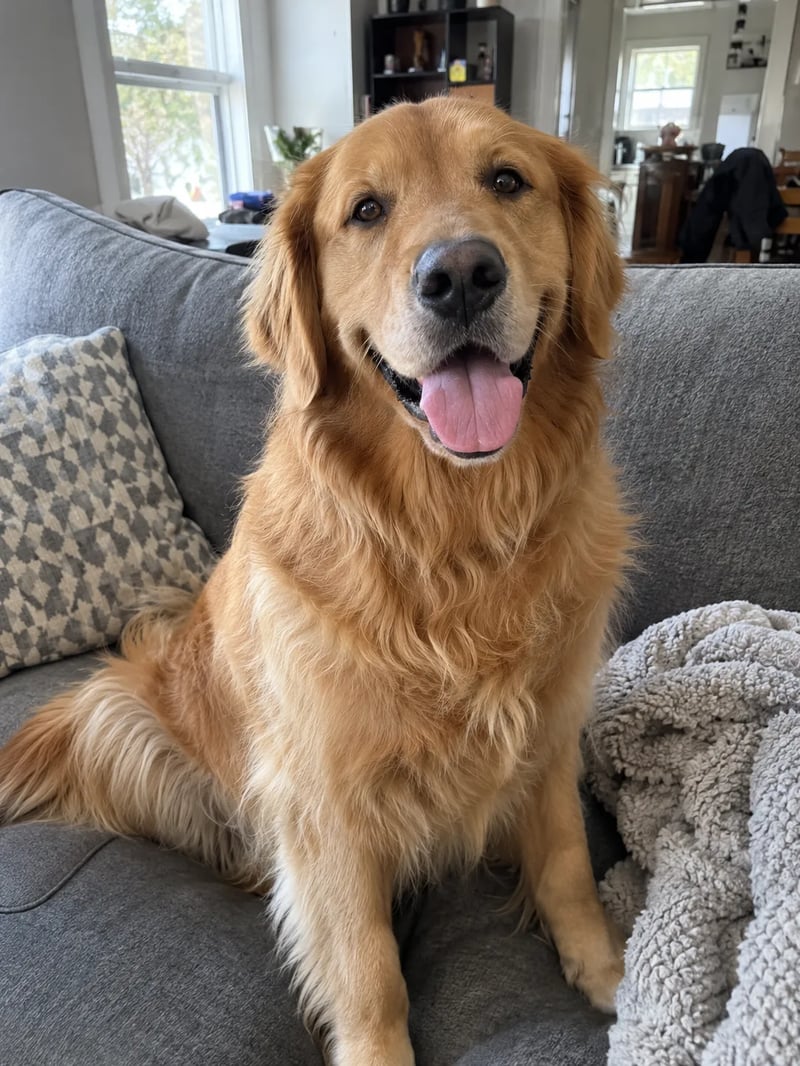
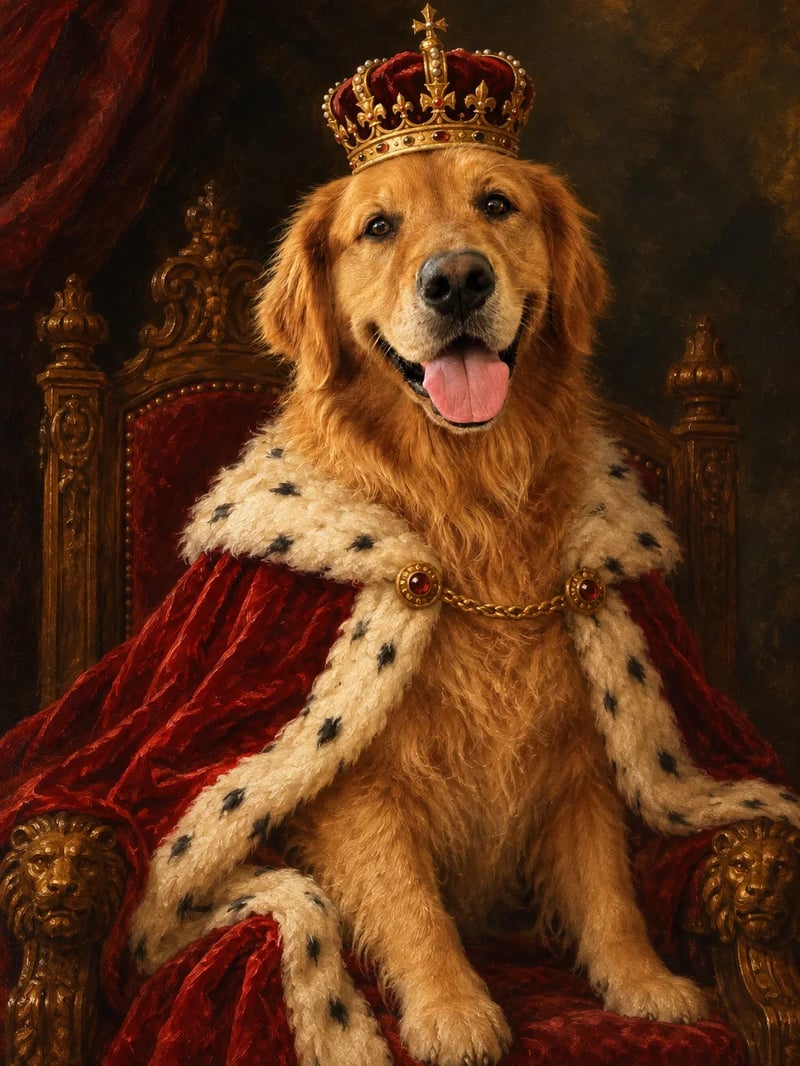
Prompt: "Turn this photo into a 17th-century royal oil portrait. Keep the same golden retriever, his face, fur color and happy open-mouth expression. Dress him in a red velvet cape with white ermine trim and a small gold crown, seated on a carved wooden throne against a dark painted background, with visible brush strokes and warm museum lighting." The open-mouth grin and the fur color carry over; the sofa becomes a throne.
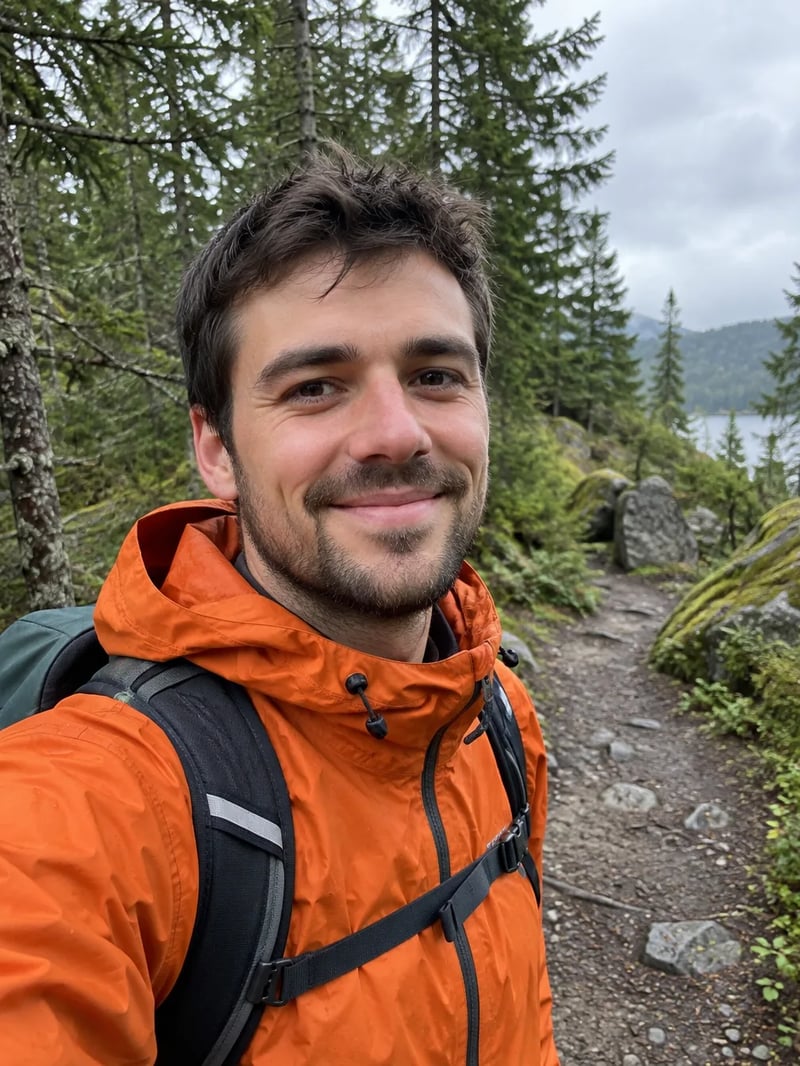
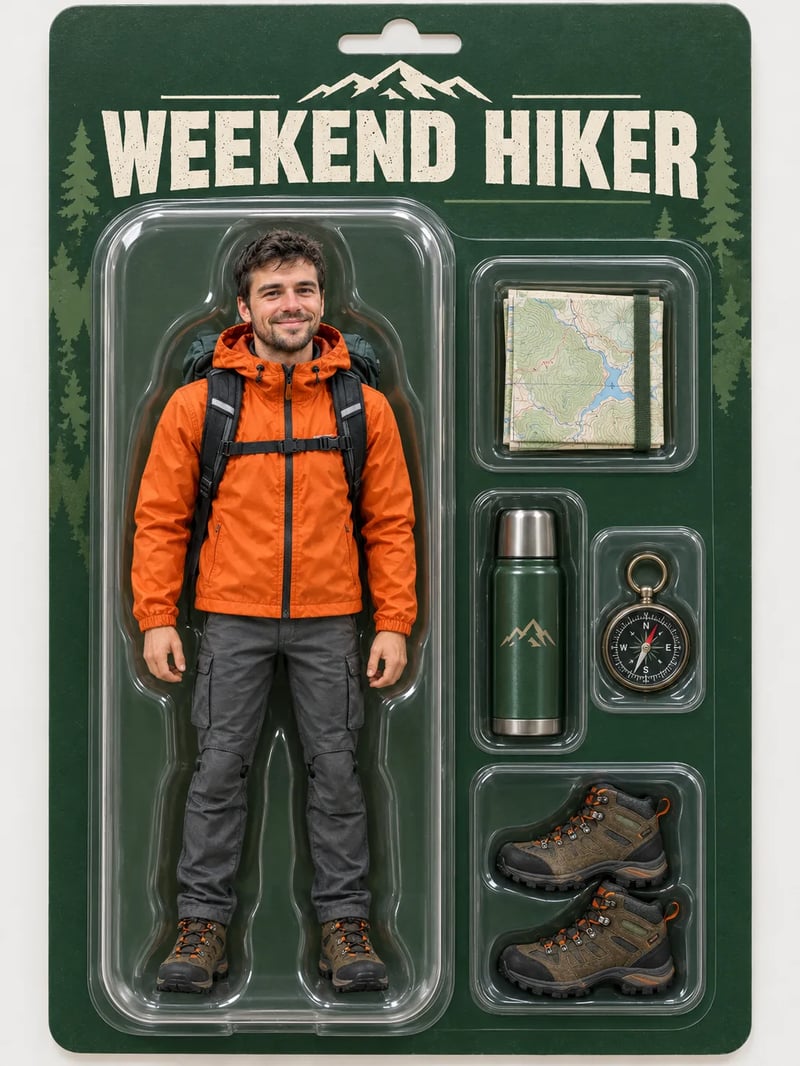
Prompt: "Turn this man into a collectible action figure sealed in a toy blister pack. Keep his face, short dark hair, light beard, orange rain jacket and backpack. The box has a forest-green card backing with the title "WEEKEND HIKER" in bold letters at the top, and moulded plastic slots beside the figure holding tiny accessories: a folded map, a thermos, a compass and a pair of hiking boots. Clean studio product photo." The title on the box is spelled the way the prompt wrote it, and each accessory sits in its own slot.
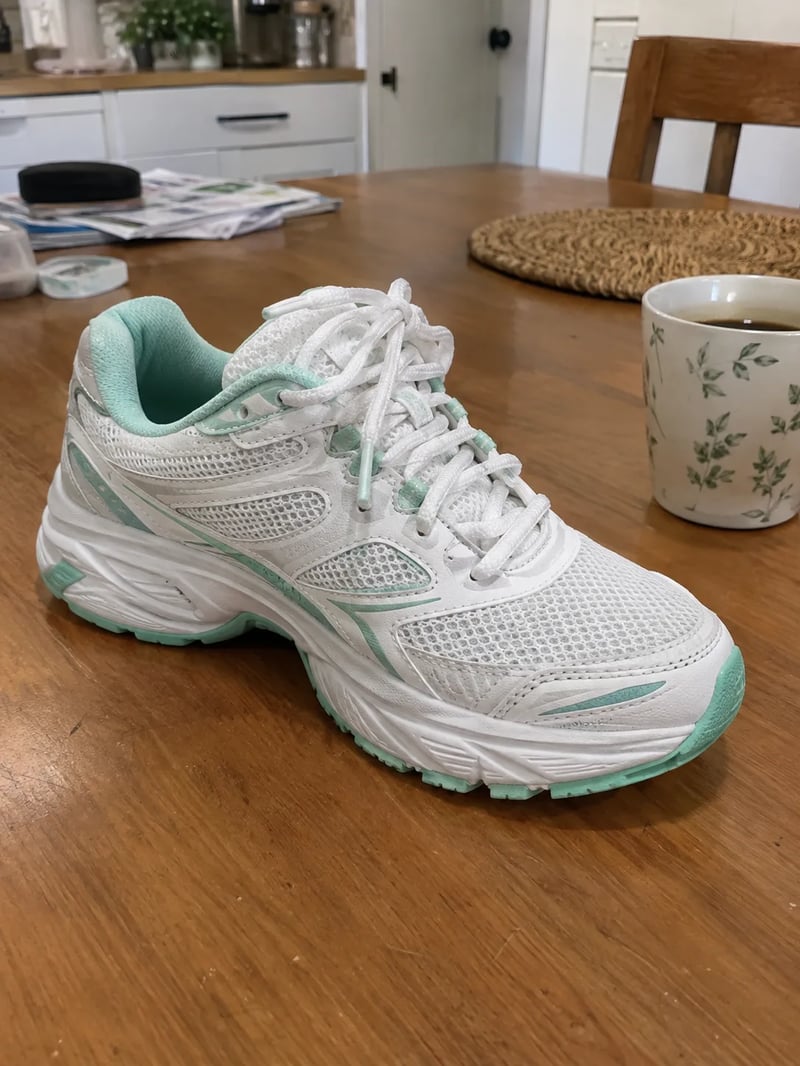
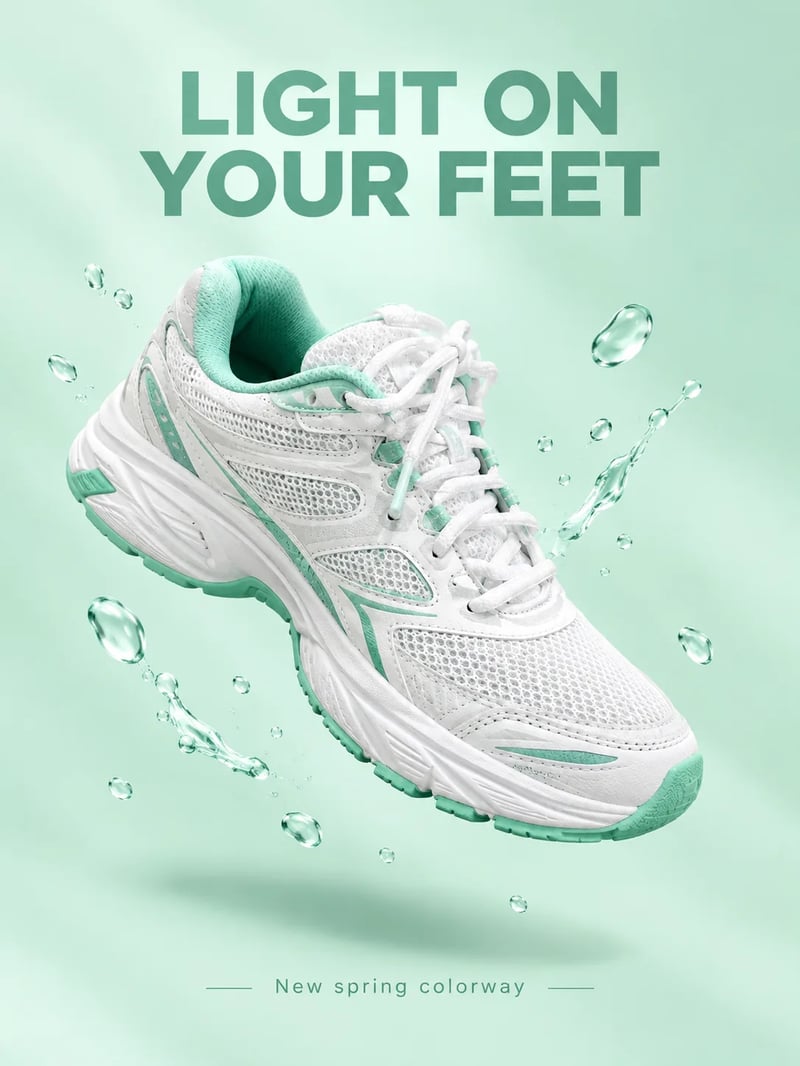
Prompt: "Make an ad poster from this sneaker. Keep the exact same shoe, its white and mint colors and shape. Float it at a dynamic angle above a soft pastel mint background with a gentle shadow and a few water droplets around it. Add the headline "LIGHT ON YOUR FEET" in bold modern sans-serif at the top and the small line "New spring colorway" at the bottom. No logos." A phone snapshot on a cluttered table becomes a clean ad layout with both lines of text in place.
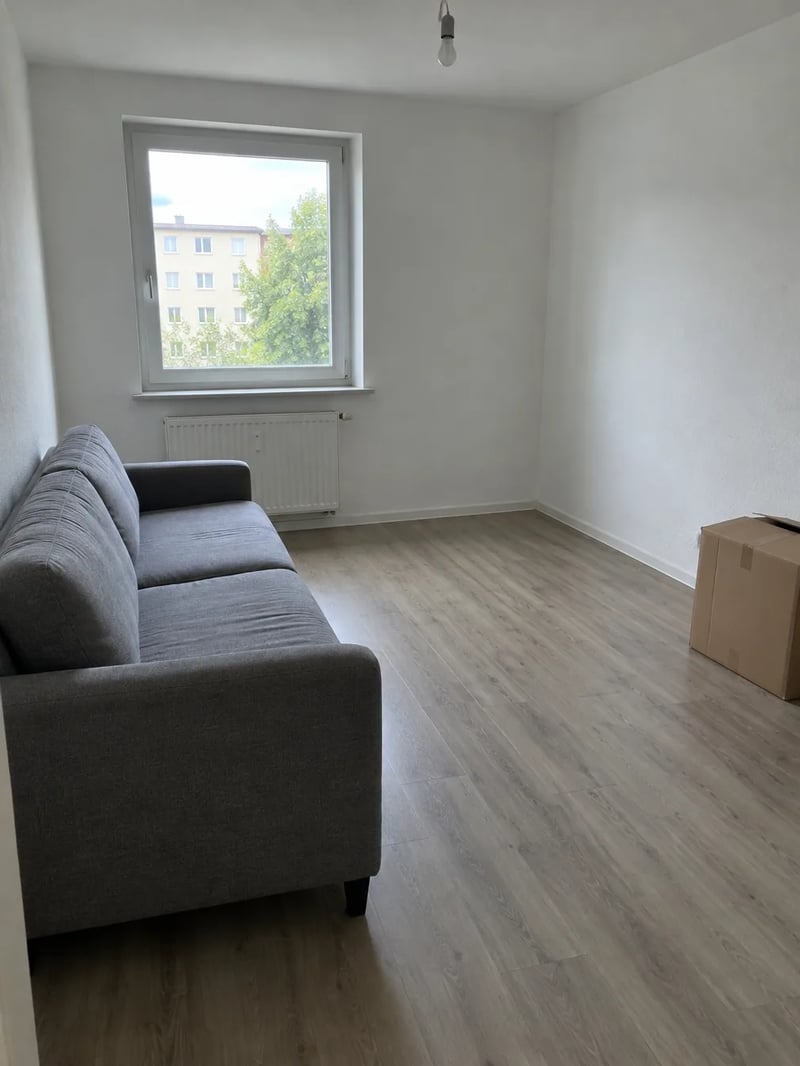
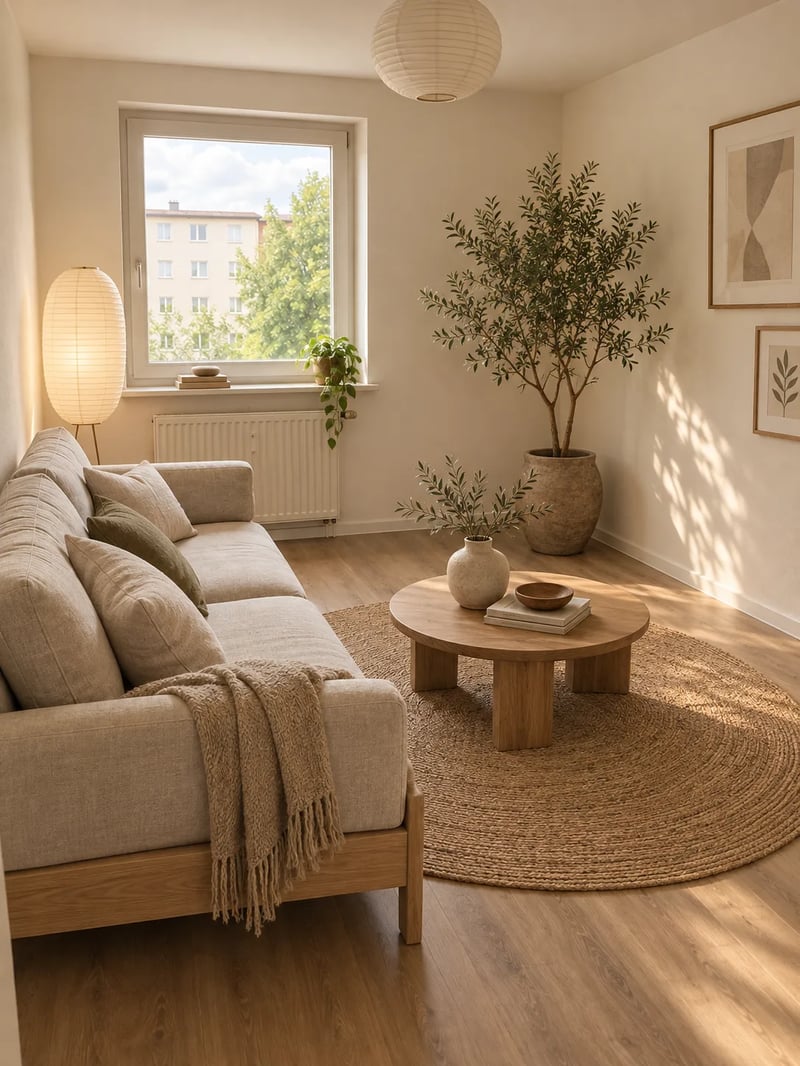
Prompt: "Redesign this living room in a warm Japandi style. Keep the window, walls, floor and room layout. Replace the sofa with a low oak-frame sofa in oatmeal linen, add a round jute rug, a white paper floor lamp, a large potted olive tree in the empty corner and a low wooden coffee table with a ceramic vase. Remove the cardboard box. Soft natural daylight, interior magazine photo." The window and the room's shape stay put, so you can picture the furniture in the space you actually have.
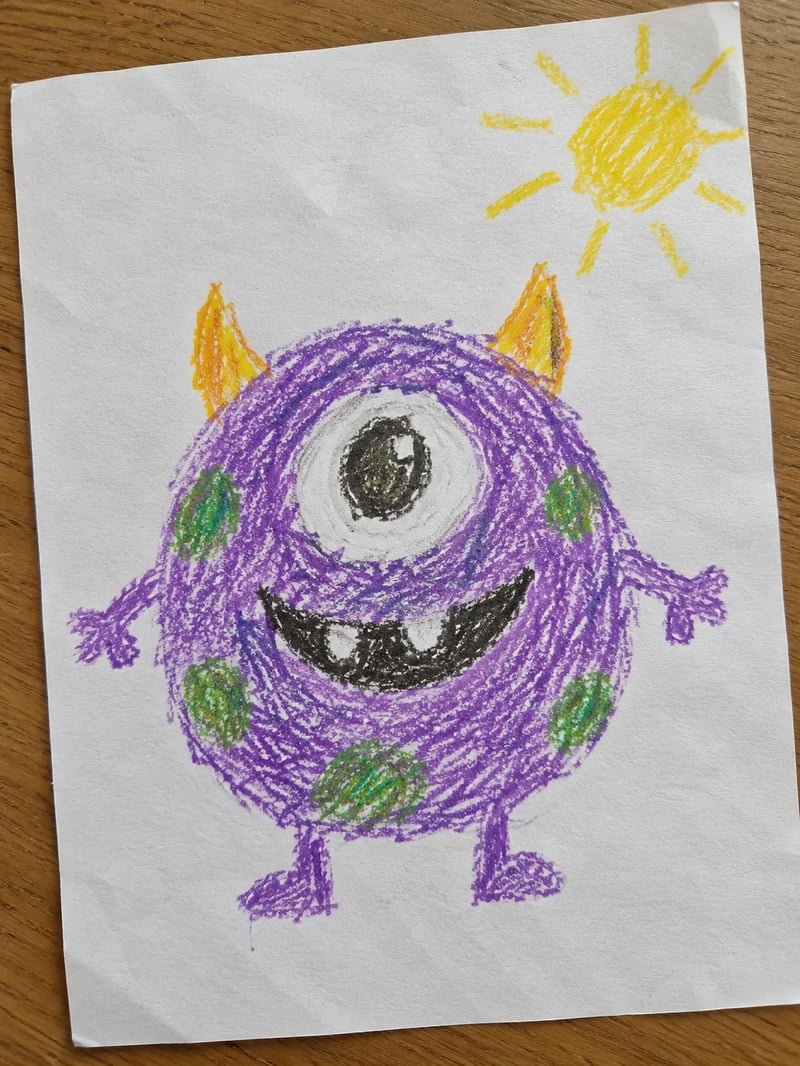
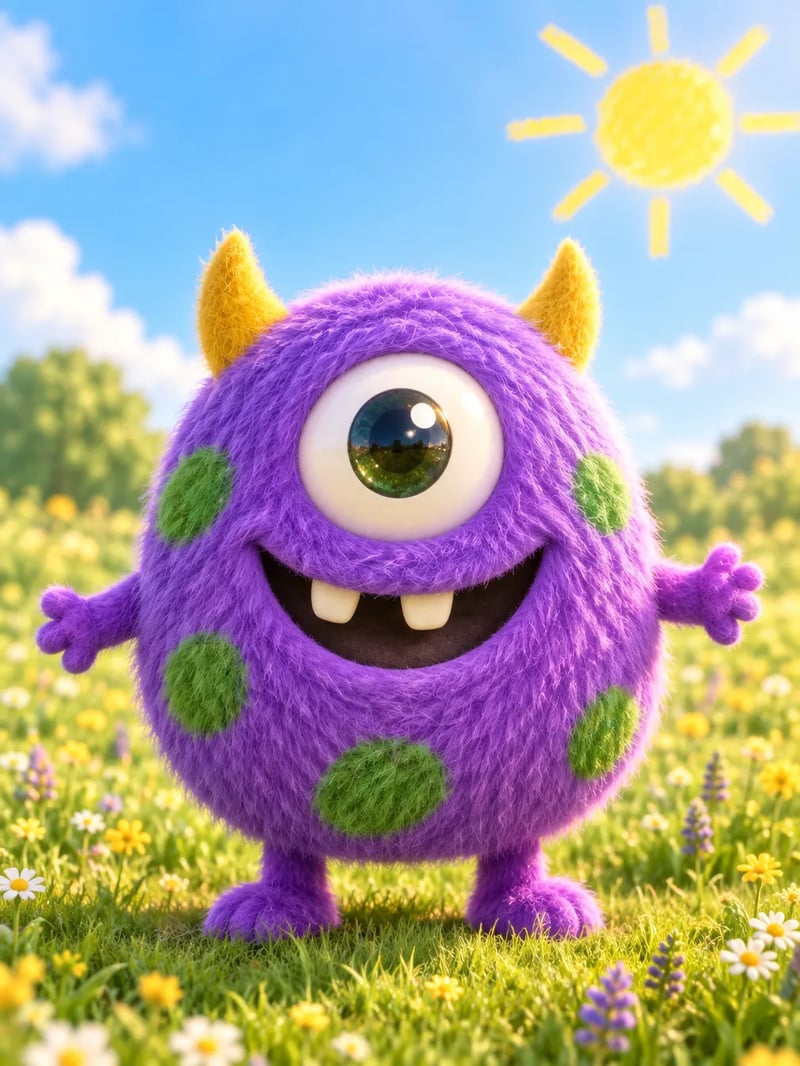
Prompt: "Turn this child's crayon drawing into a soft 3D animated movie character. Keep the same round purple one-eyed monster with its little yellow horns, green spots, tiny arms and big toothy smile, and keep its slightly wobbly proportions. Make it a fluffy, huggable 3D figure standing in a sunny meadow with a bright yellow sun in the sky." The horns, spots, single eye and the gap-toothed smile all come from the drawing.
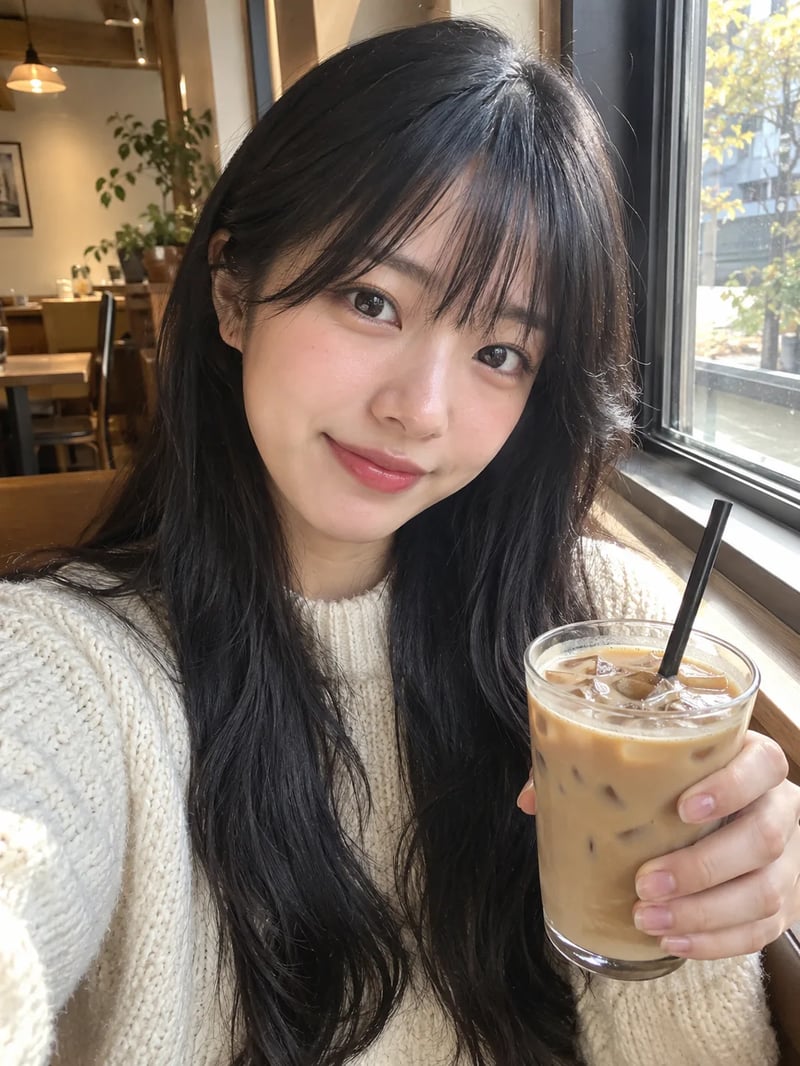
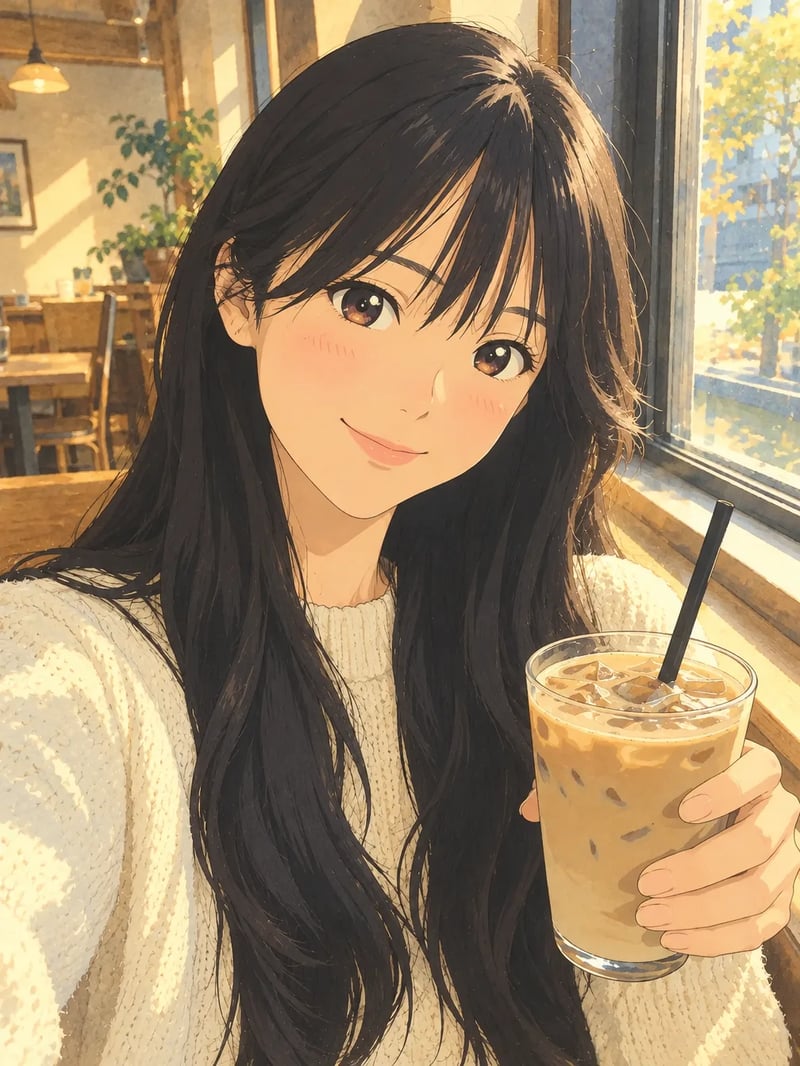
Prompt: "Turn this selfie into a hand-drawn anime film still. Keep her long black hair with bangs, her cream knit sweater, the iced latte in her hand and the cafe window with warm afternoon light. Clean line art, soft painted watercolor background, gentle light through the window." Hair, sweater, drink and window light match the selfie; only the drawing style changes.
What is AI image to image?
AI image to image takes a picture you already have plus a short instruction, and returns a new image built from both. The photo fixes what should stay: the face, the product, the layout. The prompt says what should change: the art style, the background, the light, an object to add or take out.
That is the difference from text to image, which starts from words alone, and from a photo editor, where you make every change by hand. An image to image generator, sometimes called an AI image generator from image, lets you describe the result and leaves the pixel work to the model.
What image to image AI does with your photo
Restyle a photo
Turn a snapshot into watercolor, anime, oil paint or a 3D render while the composition stays where it was.
Move the subject to a new scene
Keep the person or the product and change what is around them: a studio backdrop, a beach at dusk, a city street at night.
Edit with one sentence
Change a shirt color, add a hat, clear a cluttered table. Write the edit the way you would ask a retoucher.
Combine several photos
Upload a face, an outfit and a location, then say how they fit. Call them image 1, image 2 and so on in the prompt.
Add text that reads
Poster headlines, price tags and labels tend to stay legible, especially on GPT Image 2 and Seedream 5.0 Pro. Put the exact words in quotes.
Keep a character consistent
Nano Banana 2.1 keeps up to four characters consistent across images, so a mascot or a person can appear in a whole series.
Photo to new image in three steps
- 1
Upload your photo
Drop in the picture you want to change. Add more photos only when the new image should combine them.
- 2
Describe the change
Say what to keep and what to change, for example: keep her face and pose, make it a 1990s film photo in the rain.
- 3
Choose a model, then generate
GPT Image 2.5 Flare is selected by default and suits most edits. The model guide below shows when another one fits better.
Which image to image generator model fits your edit
Not sure? Keep the default. Switch to Nano Banana Pro or Nano Banana 2.1 when a face or product drifts, to GPT Image 2 or Seedream 5.0 Pro when the image needs words, and to FLUX 3 Klein for cheap drafts.
| DefaultGPT Image 2.5 FlareDefault for everyday editsGenerate | Nano Banana ProComplex compositions and brand work | Nano Banana 2.1Character consistency and wide formats | GPT Image 2Precise edits and readable text | Seedream 5.0 ProLayouts, infographics and text in many languages | FLUX 3 KleinFast, low-cost drafts | |
|---|---|---|---|---|---|---|
| Reference images | Up to 16 | Up to 8 | Up to 10 | Up to 16 | Up to 10 | Up to 10 |
| Highest resolution | 4K | 4K | 4K | 4K | 2K | 4K |
| Credits per 1K image | 3 | 20 | 3 | 6 | 9 | 2 |
AI image to image pricing
Each model shows its credit cost before you generate. New accounts start with 10 free credits, enough for about three images on GPT Image 2.5 Flare at 1K.
AI image to image questions
Yes. New accounts get 10 free credits, which cover a first few 1K images on the default model, GPT Image 2.5 Flare. 2K and 4K output and more than one image per run come with a paid plan.
Say it in the prompt: keep her face, hair and pose unchanged, or keep the bottle and label exactly as they are. Then describe only what should change. If a detail drifts, run it again or switch to Nano Banana Pro or Nano Banana 2.1.
One is enough for most edits. Upload more only when the new image should combine them, such as a face, an outfit and a place, and refer to them as image 1, image 2 and so on in upload order. The model guide above lists how many each model accepts.
Image to image starts from your photo and changes it. Text to image starts from a written description only. Use text to image when you have no picture yet, then bring the result back here to restyle or edit it.
Start at 1K while you try prompts; it never costs more than a higher setting. When one version is right, re-run it at 2K or 4K for the final file. Seedream 5.0 Pro goes up to 2K, the other models up to 4K.
Your photo, one sentence, a new image
Upload a picture, write one sentence about the change, and see what comes back.